

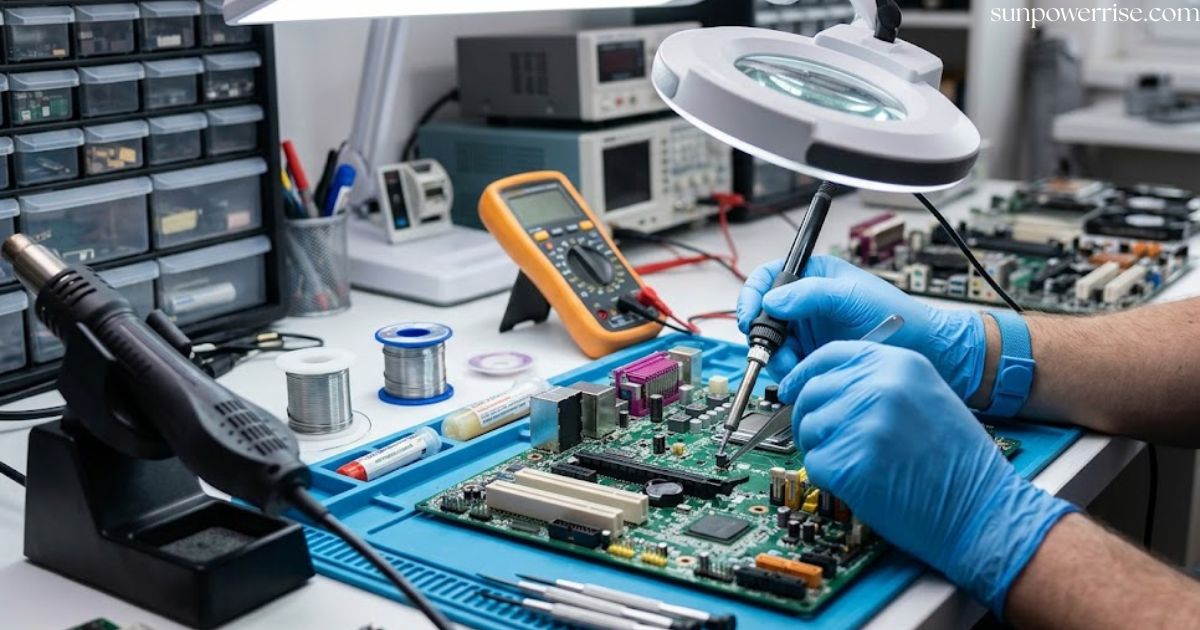
I have worked at a repair shop for years, and computer motherboard repair is the work that confuses almost every PC owner and laptop owner at first. Motherboard problems show up in strange ways. One day your laptop may refuse to charge, the next day it may shut down unexpectedly, or it may keep powering on with no display. These symptoms look simple, but the causes hide deep inside the board.
Our technicians do not guess. We diagnose the motherboard at the circuit level and troubleshoot it at the component level before recommending a repair. Most computer issues come from failed components, damaged circuitry, or firmware-related faults, so a good repair starts with finding those failures.
A good computer motherboard repair service offers computer repair services with spare parts, compatible parts, and upgrades ready, and it works on any make or model.
Liquid-Damaged Computer Motherboard Repair
Liquid exposure is the hardest job I handle. Any liquid, even a small coffee spill, can cause short circuits on the motherboard. The corrosion developing under the chips keeps spreading long after the spill dries, and the extent of the damage depends on what spilled and how long the board sat wet.
With liquid-damaged boards, I inspect every one of the affected areas under a microscope and look for damaged components and compromised circuit traces. Then I start cleaning and removing corrosion, because leftover residue keeps eating the circuit traces.
Depending on the condition of the board, the repair may need component replacement, trace repair, or replacing damaged components, and the computer motherboard repair cost grows with each extra fix. I finish with testing of all affected circuits, because repairing damaged circuitry without testing leads to repeat visits. I also retest all the nearby components.
Power Issues & Power Management Circuit Repair
Many people ask me how to repair computer motherboard faults, and my answer always starts outside the board. When a laptop shows no signs of power, I check the power supply and the charger first. A cord failure or a bad DC jack can upset power sourcing and block the power input, so I look at the outside before I open the board. Surprisingly often, a power-related issue turns out to be that simple.
Next, I do a voltage measurement on the main power rail. Most laptop chargers give about 19.5 volts, and on my bench I usually read close to 19 volts at the jack. That number tells me the path of electricity starts well, so I follow it across the board.
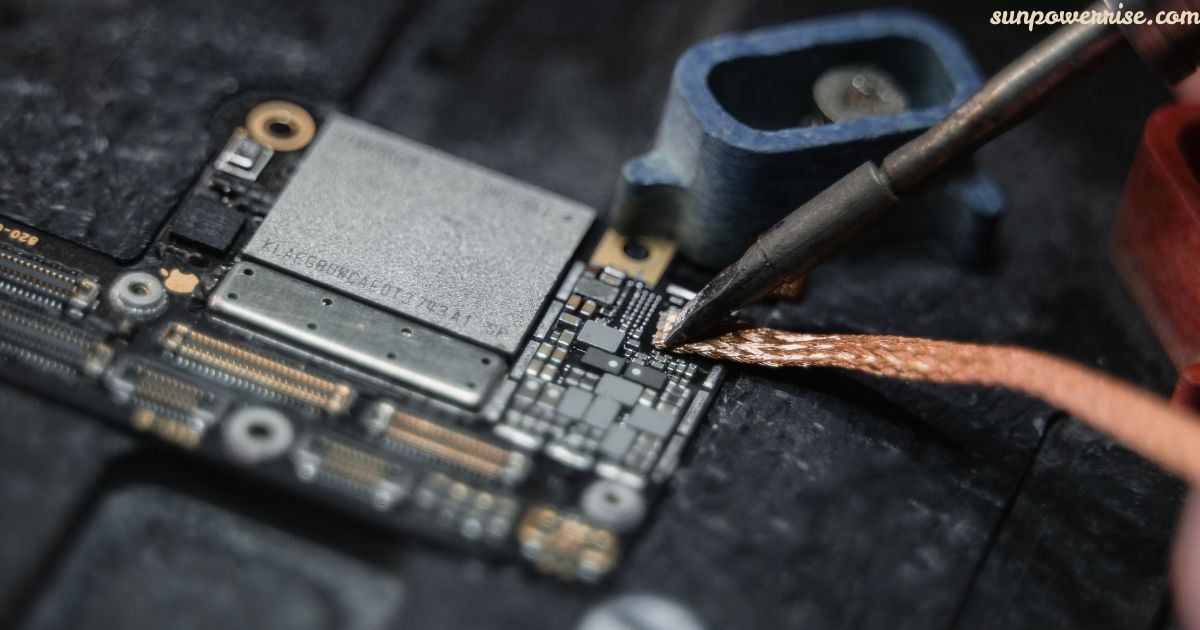
Near the input, I usually find two MOSFETs and a current resistor. This spot carries the highest voltage and the highest current, so it becomes a common point of failure. The injection of current here hits hard and stresses the capacitors and MOSFETs along that line.
If power delivery stops at some point, the motherboard will not turn on. A shorted component, a failed power-management circuit, or a weak spot in the power circuitry can cause that, and broken voltage regulators can too. The internal system of the board depends on its power-management circuitry, so I test it before replacing components blindly.
Charging, DC Jack & USB-C Problems
Charging trouble is the most common job customers bring me. A laptop that will not charge, or one that charges intermittently, gives clear symptoms, but the source of failure can sit in many places. I never start by replacing parts, and that habit keeps the computer motherboard repair cost low for the customer. I test the charging system first.
The DC jack is where the power goes in, so I look there first. A bent pin or physical damage can stop everything, and a faulty charging port can even hurt the motherboard. If the laptop won’t turn on even with a good charger, I check the power connector and the damaged ports next.
Newer machines use USB-C, which adds more circuitry. When a laptop ignores a USB-C power adapter, I test the USB-C power-delivery circuitry, the charging controller, and the MOSFETs. I follow the charging path and the whole power path with a meter and watch the voltage at each step. The charging circuit and the input-power components often fail together, so a repair needs more than a new charging port.
Graphics Issues
A computer that powers on but shows no image scares people, and most of them blame the screen. In my experience, a bad screen is not always the culprit. I connect an external display first, and if both the internal display and the outside one stay black, the motherboard becomes the real suspect.
The display signal travels through graphics circuitry, display-output circuitry, and several connectors. When the picture looks dull or shows patches of white space, the graphics card or the graphics chip may need repair or replacement. I run board-level diagnostics to isolate the fault before I touch anything.
A board-level fault in the supporting circuitry can break graphics and display output even when the display-output components look fine. So I check all the components on that path one by one.
Overheating & Electrical Faults
Overheating wears down internal components and causes frequent breakdowns and constant repairs. When a motherboard gives off abnormal heat, I suspect a shorted component or a failing electronic component rather than a dusty fan alone. An owner can cool down the system for a while, but the fault keeps coming back.
To diagnose electrical faults, I take electrical measurements and do a microscopic inspection of the area. These board-level diagnostic methods help me find the affected circuit, and then I decide whether component-level repair makes sense.
Short Circuits, Failed Components & Visual Inspection
I always begin with a visual inspection, because a blown part is often easy to spot. A single failed component can stop a motherboard from powering on, and short circuits hide well. I use board-level diagnostic techniques to find the shorted spot, and then I check the capacitors, MOSFETs, and ICs. Once I find the failed components, I plan the repair and order the matching parts.
Data Recovery / Motherboard Failure With Important Data
Losing data hurts individuals and businesses alike. Essential records, statistics, and other information can vanish when a failed motherboard stops a laptop cold. Good data recovery services use special tools and software to pull important files from damaged disks.
On many modern machines, integrated storage or soldered storage sits right on the board. So professional data recovery often means repairing the original board first, and that step lets me restore access to the drive.
Encrypted systems add one more layer. BitLocker-protected Windows computers may refuse to unlock after hardware changes or TPM changes, and the BitLocker recovery key becomes essential. Save that key somewhere safe, because BitLocker and the TPM will not let the system open without it, and Windows offers no shortcut.
Makes & Models We Repair
We fix MacBooks, Apple iMacs, Toshibas, Asuses, and Dells every week. The list also includes Apple, Dell, HP, Toshiba, Lenovo, Samsung, ASUS, and Acer machines, so almost any make and model can come through our door.
Because we keep manufacturer-specific parts such as motherboards, RAM, and graphics cards on the shelf, we finish most jobs faster and cheaper than a big store. Whether you own a laptop or a PC, our computer repair services cover both, and our computer motherboard repair service handles the hardest cases.
FAQs
Can a PC motherboard be repaired?
Yes, in many cases. A skilled technician can diagnose the board and fix failed components, short circuits, or damaged circuitry at the component level without replacing the whole motherboard.
How much will it cost to repair a motherboard?
A component-level repair often runs from about $100 to $300, depending on the make or model, the fault, and the labor. Extra work like liquid damage cleanup or trace repair can raise the price.
Is it worth fixing a motherboard?
Yes, if the repair costs less than a new machine, or if your important files sit on soldered storage. Saving your data and your laptop can bring real relief.
Can Geek Squad repair a motherboard?
Geek Squad can usually handle motherboard replacement for a laptop or PC, but many shops like theirs swap the whole board rather than fix it at the component level. Call your local store to confirm.
How expensive is it to replace a motherboard?
A new desktop motherboard often costs about $50 to $300 for the part, while laptop boards usually cost more. Labor adds to the total, and the manufacturer-specific parts for your make and model decide the final price.