

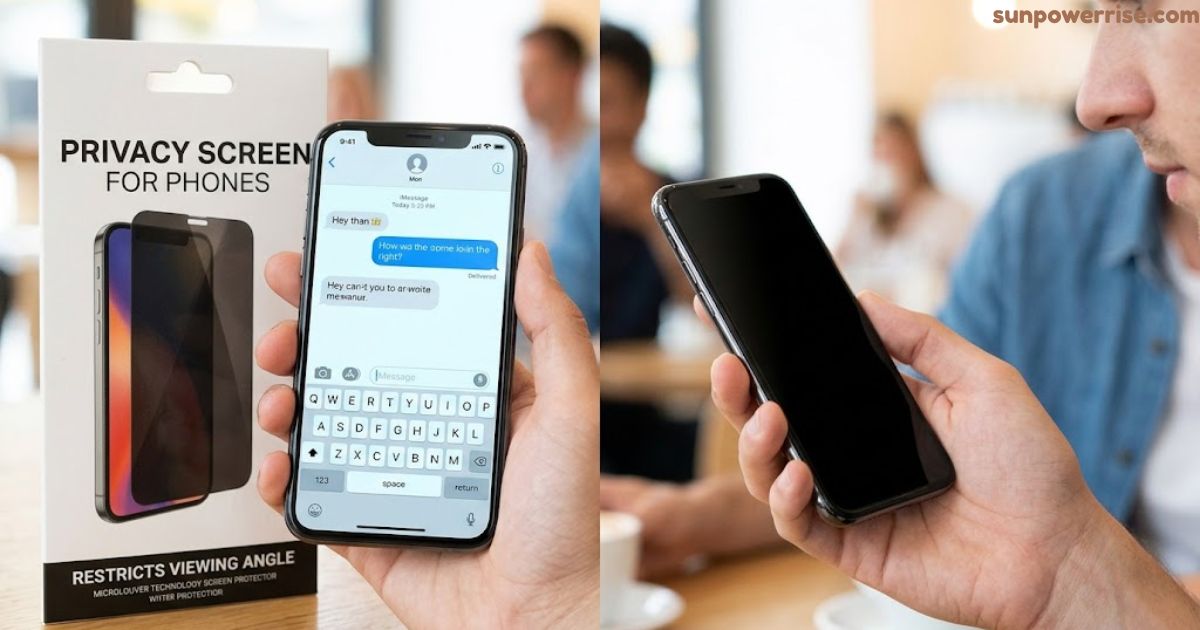
A privacy screen stops visual hacking, a big technical term that simply means someone peeks at your screen. Our phones hold logins, payroll information, and other sensitive data, and we carry these mobile devices into every café and train. I learned this when I caught a stranger reading my messages over my shoulder.
A controlled experiment with 1,173 participants shows how real this risk is. After a single look, observers could reconstruct on-screen information in 64% of attempts. Two glances pushed that number to nearly 80%, so prying eyes do more damage than most of us think.
A laptop privacy screen or a privacy screen protector helps you shield your screen in public spaces. It protects your personal information, your family and friends, and your company from visual hackers. Every device with screens exposed needs this kind of data protection.
Some people ask if it dims the brightness and whether the investment pays off. I weigh the advantages and disadvantages below so you can decide. Your data deserves a fair look.
What Is a Privacy Screen Protector?
A privacy screen protector sits on the screen surface of your mobile phone or tablet and blocks curious eyes. Once you have applied it, strangers get no side glimpse of your private conversations. I use mine on the metro, where I chat on FaceTime and check Snaps without worry.
On my daily commute, I also read work documents and emails on my phone. A laptop privacy screen does the same job when I open sensitive files in a shared workspace, because it hides the display from side angles. Even the by-sitters next to me see nothing useful.
The protection strength depends on the material, such as glass or film. Both options keep confidential information and business information safe from visual hackers. They also guard personal information and professional information in public spaces.
I feel better when my content stays secure and private. Visual hacking costs the thief nothing and costs you a lot. A good privacy screen stops it early.
How Do Privacy Screen Protectors Work?
A privacy filter works like window blinds for your display. Every privacy screen uses microlouver technology, which places tiny vertical blinds inside a thin filter. These blinds let light pass only at certain angles.
The micro-louvre design sets a narrow viewing angle, so the field of view shrinks to +/- 30°. You see everything clearly because you sit directly in front as the main viewer. A passerby or any Peeping Tom sees only a darkened screen.
Side viewers and strangers get a blurred screen, and sometimes a blackened screen or dark screen. That narrow viewing angle is the whole trick behind micro louver films. I tested one on public transportation, and nobody could read my emails.
It protects your phone, your tablet, and your laptops, and it keeps essential documents hidden. Many options exist on the market. Pick the one that fits your needs.
Where Is a Privacy Screen Helpful?
The BBC quoted Detective Superintendent John Roch, a Senior UK Fraud Officer, who says apps are safe but criminals exploit human behaviour. Thieves practise shoulder surfing to watch victims type a PIN, then they start stealing the phone. The same trick works on PINs and passwords in crowded spaces, where a privacy screen stops it cold, and I have caught people doing it near me in the UK.
Cafés, airports, and co-working spaces put your computer screens and mobile screens in front of wandering eyes. A privacy screen narrows the field of view, so onlookers see distorted images and cannot read financial data, client information, or banking information. Your photo library, text messages, and precious memories stay hidden too.
Benefits
At the workplace, open-plan layouts make visual hacking easy for colleagues and unauthorized individuals. A malicious actor in the digital domain wants your data, and a privacy screen blocks one simple way in. It lowers the risk of data breaches for small businesses and large businesses alike.
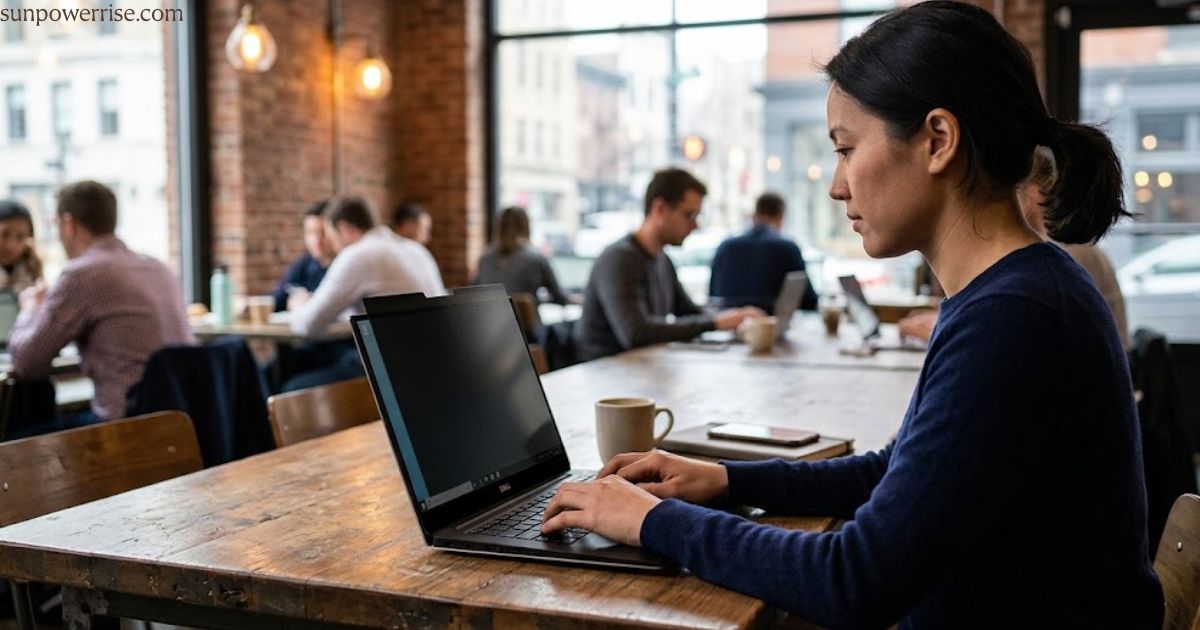
I sit in the boardroom and the office with contracts and business strategies open, and I never worry about workplace professionalism. On business trips, travelling with confidential emails, private documents, and business communications feels calmer. Good security solutions work well beside encryption and strong passwords as your defence against threats. Only someone looking head-on can read your personal content, so your emails stay yours.
Additional Features
An anti-glare coating cuts light reflections, so you read clearly even when the sun shines on your laptop outside. It also fights reflections in bright environments. You may notice a darker screen, because the privacy filter takes some light.
Blue light disturbs your circadian rhythm and blocks sleep hormones, and scientists suggest less of it at night. Blue light reduction and blue light filtering lower those effects, so your sleep suffers less. I use my phone and tablet late and notice less eye strain and eye fatigue after long hours and extended screen time.
A privacy screen adds these extras on top of a regular screen protector. Tempered glass gives multi-level protection against drops and impacts, with 9H hardness against hard objects like keys and coins, and it stays scratch resistant and shock resistant. It keeps 100% touch sensitivity, and an oleophobic coating reduces fingerprint and smudge-marks.
That extra comfort improves focus and productivity. I notice it most when I work on the go. Small gains add up.
FAQs
How can I make my screen private?
Put a privacy screen protector on your phone or laptop, because its privacy filter blocks side views so only you can read your screen in public spaces.
Is there a privacy screen you can turn on and off?
Yes, a magnetic privacy screen is removable and reusable, so you can attach it for the commute and take it off when you want to share your display.
Which privacy screen is best?
The best one fits your exact device, with the right cutouts and tempered glass, and it keeps your brightness and touch sensitivity sharp while it guards your personal information.
Does the iPhone have a privacy screen feature?
No, the iPhone has no built-in privacy filter, so you need a privacy screen protector made for your model, and it will line up with Face ID and the sensors.
How do I turn on a privacy screen?
A privacy screen protector works the moment you apply it, because its microlouver technology narrows the viewing angle automatically, so there is no setting to switch on.
How to make it so people can’t see your phone screen?
Use a privacy screen protector and hold your phone in portrait mode, so strangers only see a darkened screen and your private conversations stay yours.