

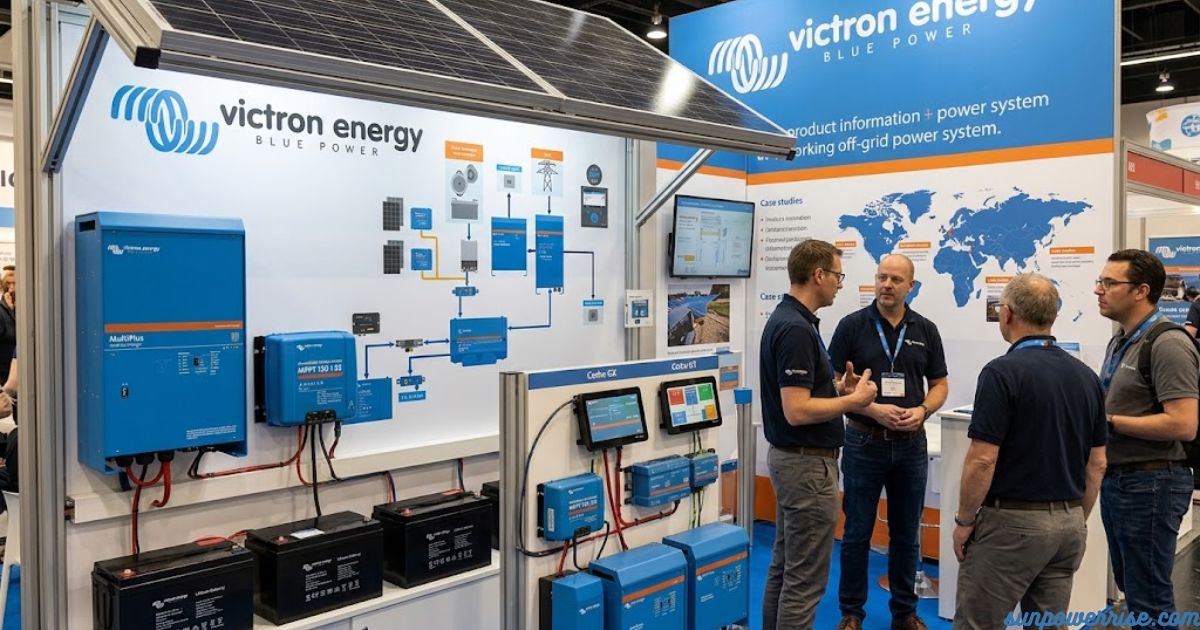
I’ve spent a lot of time setting up power systems for vans, cabins, and small off-grid projects, and Victron Energy gear keeps showing up as the backbone of almost every build I trust. What I like about it is that each piece has a clear job, yet they all talk to each other in a way that feels almost effortless once it’s wired up.
Victron Energy BV, the Dutch manufacturer behind reliable power systems, makes both the Victron Energy inverter line and the Victron Energy MPPT solar charge controllers. Together, these products form the backbone of countless off-grid and on-grid solar setups worldwide.
Let’s walk through the main parts of a Victron Energy setup, piece by piece, the way I’d explain it to a friend setting up their first system.
Cerbo GX & Touchscreen: The Control Centre of Any Victron Energy Setup
Think of the Cerbo GX as the brain of the whole setup; it’s the monitoring hub that every other Victron device gets wired into, and once connected, it displays live information on a touchscreen so you can actually see what’s happening.
Victron sold the two pieces separately, offering both a 5-in touchscreen and a 7-in touchscreen, but honestly, you need one to properly operate a Cerbo GX, so in my experience it makes more sense to treat them as a pair rather than sold together as an afterthought.
Even though the screen is technically optional, it gives you full control and a clear view of your entire system, plus solid remote monitoring from wherever you are, which is genuinely useful when you’re away from the rig and want to check on your Victron energy setup remotely.
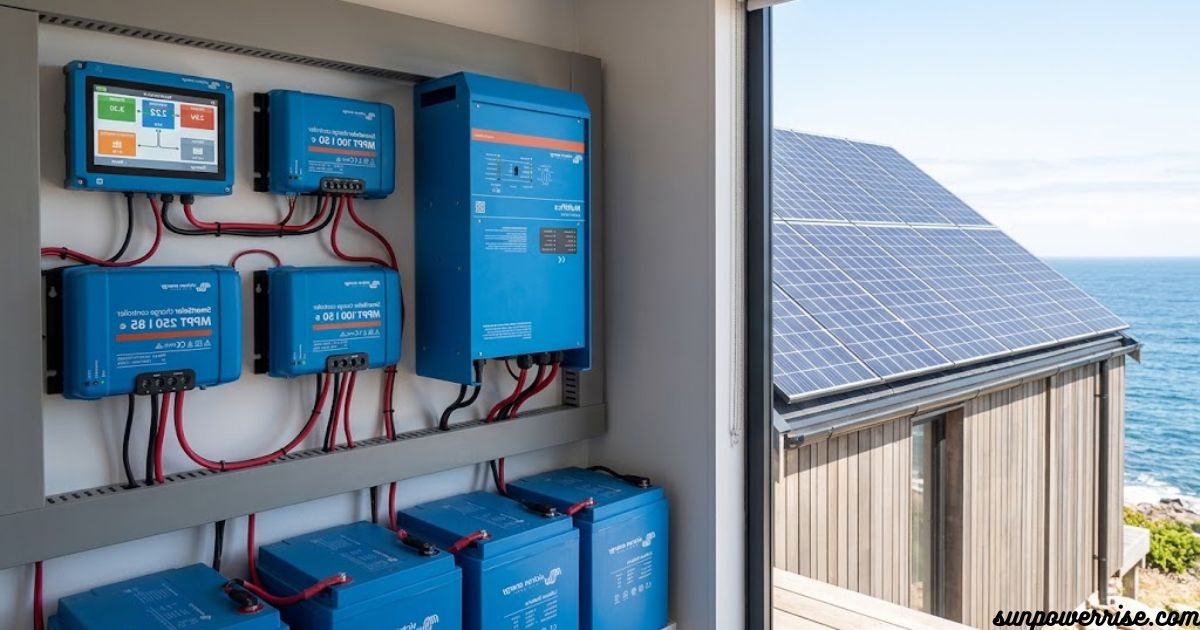
Smart Solar Charge Controller
The Smart Solar Charge Controller is the piece that pulls energy from your panels and feeds it into your batteries, and it comes with built-in Bluetooth so you can check charging stats right from your phone.
If you’re trying to save a bit of money, the Blue Solar version is cheaper simply because it skips the wireless feature and ships with no Bluetooth at all. I’ve used both versions on different builds, and honestly, unless you enjoy checking your solar numbers on the go, the cheaper option does the job just fine for a basic Victron energy setup.
Orion XS 1400
The Orion XS 1400 takes power from your alternator while you’re driving and sends that energy straight into your lithium batteries, which is a smart way to top up your bank without relying only on solar. This unit also comes with built-in Bluetooth, so you can watch the charging numbers climb in real time from an app. It’s a small box, but it does a lot of heavy lifting for anyone who drives more than they park.
Lynx Distributor
The Lynx Distributor is refreshingly simple: a positive bus bar and a negative bus bar built into one compact package, with room for fuse holders on the inside.
For the price, you’re getting two high-current, high-quality bars in a single unit, which saves a surprising amount of space in a tight electrical cabinet. I always tell people this is one of the most underrated parts of a Victron build because it keeps wiring neat without costing a fortune.
MultiPlus, MultiPlus II, or Quattro
The MultiPlus, MultiPlus II, and Quattro all handle two main jobs: they charge batteries using shore power, and they turn that stored energy into 120-V power for your regular outlets.
None of them come with Bluetooth built in, so if you want that feature, you’ll need to add the VE.Bus Smart Dongle separately. You’ll also need a remote for control, whether that’s the dongle, a hardwired unit, or the touchscreen tying everything together.
Remote Control Options
Speaking of control, you’ve got three real choices here: the Bluetooth dongle, a hardwired remote, or the touchscreen itself, and any of them will give you full control and monitoring over your system. I usually recommend the touchscreen if budget allows, simply because it consolidates everything into one screen instead of juggling apps and separate remotes.
What Is a Microgrid?
The word microgrid means different things depending on who you ask, but I like the definition used by Solar Energy International (SEI) in their advanced microgrid design course.
They describe it as interconnected power generation, energy storage, and loads shared across multiple buildings, sites, or services, all sitting inside one clearly marked electrical boundary. A microgrid can stay grid-connected most of the time, but it’s also built to run in island mode on its own whenever the utility grid goes offline.
Microgrids in the Context of Victron Equipment
With a well-designed Victron energy setup, the real magic is that smaller systems can work in parallel to handle larger load demands without needing a total redesign. Picture a single trailer running an energy system for one small event now add a few more trailers for other events, and eventually combine them all together when a bigger job comes along.
This same idea applies well beyond events, covering remote communities, construction sites, disaster relief efforts, command centers, data centers, and even military FOBs.
Scalability & Redundancy
What stands out to me most is how well a Victron energy system handles growth and backup power at the same time. You get real scale as your needs grow, plus serious redundancy, because if one power bank drops offline, the others keep the lights on without missing a beat.
Picture an industrial campus wanting to expand without ripping out their existing setup they simply add additional power banks, some running solar and others backed by a DC generator backup, and everything stays in sync to meet the same AC load requirement, all without extra communications cables running between units.
Traditional Microgrid Controllers vs. Victron’s Approach
Most traditional setups lean on a costly microgrid controller or energy management system (EMS) to keep every node in the network talking to each other correctly. It works a bit like a GX device, except instead of managing one system, it’s juggling several independent systems at once. A Victron energy system skips a lot of that management overhead by letting power banks synchronize using nothing more than AC frequency and voltage readings.
Hybrid Droop Mode
This synchronization trick has a name: hybrid droop mode, and it adjusts power output based on shifts in frequency and voltage deviations.
As a load increases, frequency naturally drops, and the inverter responds by pushing out more power on its own, completely independently from the others. Because each unit reacts to real grid conditions, the whole group ends up sharing the load proportionally based on their individual droop characteristics.
Victron’s Published Test Results
Victron actually put this to the test using four power banks feeding a three-phase system two rated at 45 kVA shown in graphs A1 and A2, and two rated at 90 kVA shown in graphs B1 and B2. Each A2 graph carries fewer colored lines than the B graphs, since the smaller units use three inverters each while the bigger ones use six, and after applying a 37 kW load to each phase (roughly 111 kW total, with the numbers slightly rounded), all 18 inverters ended up outputting close to 6 kW apiece.
This kept every part of the system evenly loaded, avoided anything getting overly stressed, and proved that the proportional output design protects against premature failure at both the component level and the system level, which says a lot about long-term reliability.
Digital vs. Analogue Communication
Now let’s talk about the newer NG batteries, because the communication method is where things really change. Old-style Smart lithium batteries rely on an analogue signal, which only tells the BMS (Battery Management System) that an alarm state exists for high voltage, low voltage, or temperature, without ever revealing the actual numbers. NG batteries switch to full digital communication, sending exact values per cell including current measurement directly to the BMS, so nothing gets left to guesswork.
Bluetooth Moved to the BMS
One interesting change is that Bluetooth has shifted away from the individual battery and now lives inside the BMS itself. That means to monitor your setup through VictronConnect, you connect to just one connection point and get a full overview of every battery in the bank. The BMS already understands total capacity and overall system voltage, so there’s no guessing involved on your end when you’re managing a growing Victron energy bank.
FAQs
Is Victron a British company?
No, Victron Energy is a Dutch company, founded in 1975 by Reinout Vader and based in Almere-Haven in the Netherlands.
Is Victron Energy a good brand?
Yes Victron has built a strong reputation for reliability, innovation, and build quality in the off-grid and power conversion space over five decades, earning trust from professionals worldwide.
Which is better, Sunsynk or Victron?
Both are solid, but Victron generally wins on build quality, product range, and system flexibility, while Sunsynk is often praised for affordability the right pick truly depends on your budget and system needs.
Who owns Victron Energy?
Victron’s founder Reinout Vader and his son Matthijs, now CEO, still lead the company, keeping it privately held and family-run to this day.
What are the disadvantages of Victron inverters?
Some downsides include a higher price point, a steeper learning curve for beginners, and the need for extra accessories like a touchscreen or BMS to unlock full monitoring and control.