

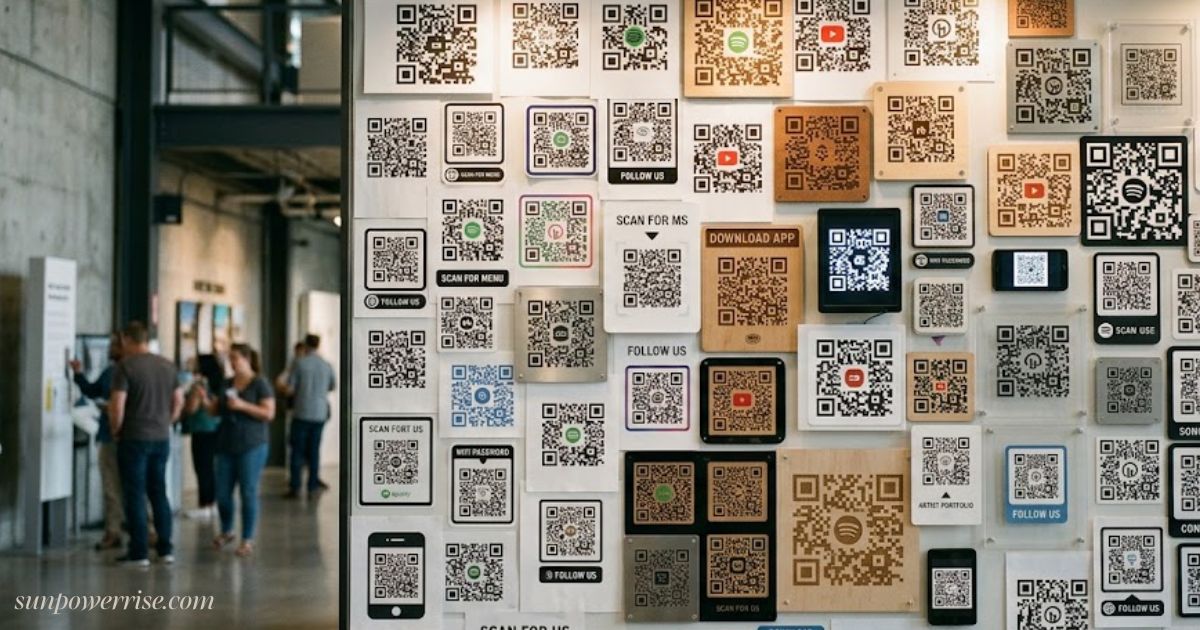
Anyone working in print today has a story about QR codes in print, and mine started the day I watched a small square of pixels turn a plain flyer into a booking tool, which is exactly why QR codes have earned their place in modern print marketing.
In plain English, a QR code is simply a bridge: point any digital device at it, and it opens a landing page, pulls up contact details, sends a review request, or connects a shopper to a supply chain of digital content that a plain poster could never hold on its own.
This guide looks at how businesses use printed materials, from a single flyer to a stack of websites-linked marketing materials, what benefits they bring, what alternatives exist, and where packaging and marketing are headed in the future.
QR Codes In Print
What Is a QR Code?
Understanding QR codes in print starts with the basics: a QR code is really a two-dimensional barcode, and unlike older barcodes or a traditional barcode that only scans from a single direction, this one reads from multiple angles using a smartphone camera or a dedicated QR code reader application.
You’ll spot the pattern of dots and black squares printed on business cards, flyers, leaflets, banners, and posters, and once your smartphone picks it up, it can trigger a digital action such as opening a payment page, showing contact details, or letting you download file content straight away.
Marketers like this because typing web address information on tiny smartphone keyboards is far harder than on laptop keyboards, so the code helps simplify process steps for anyone browsing images, videos, or other media across both digital environments and printed environments, all through one business card-sized graphic offering fast scanning and a working link-based shortcut instead of a manual website visit.
How QR Codes Work
Underneath the design, a QR code is just encoded data arranged in a square pattern of black and white modules, similar to the barcode a cashier scans at the supermarket, except this machine-scannable image packs in far more than a price.
That data can be alphanumeric, numeric, binary, or even Kanji, a form of Chinese characters used in the Japanese writing system, and when you point camera apps at the grid of dots and black squares, your device reads it in a second or two and gives instant access to a URL or a contact card.
Modern smartphones don’t need extra software either, since the built-in camera app does the job, letting you tap link results the moment they appear, which is exactly why marketers love handing this kind of smartphone camera convenience to the hundreds of millions of people scanning codes every day.
Create a QR Code
Tool Selection
Getting QR codes in print right starts with a simple choice: pick the destination, whether that’s a booking form, a product page, a review page, a payment link, a menu, a Wi-Fi login, or plain contact details, then head to a QR code generator such as GOQR.me or design software like Adobe InDesign to build it.
Data Types & Code Flexibility
You can enter text, a phone number, SMS details, or vCard information, and choose between free static QR codes and paid dynamic QR codes. Remember that static codes hold fixed data, while dynamic codes let you edit the URL or website target after printing; once you’re happy, download the artwork in the right file type, since you don’t have to stick with plain colours either.
Print Testing & Quality Control
PNG suits everyday jobs, while SVG and EPS give high-resolution, scalable graphics for professional printing. Before you send anything to print, check that the sizes work, embed or add the landing page link correctly, and always test the plain black and white QR code image or your unique design on real phones in different lighting conditions, because a destination link that looks perfect on screen can still fail once it’s on paper.
Printing Best Practices & Tips
Design & Contrast
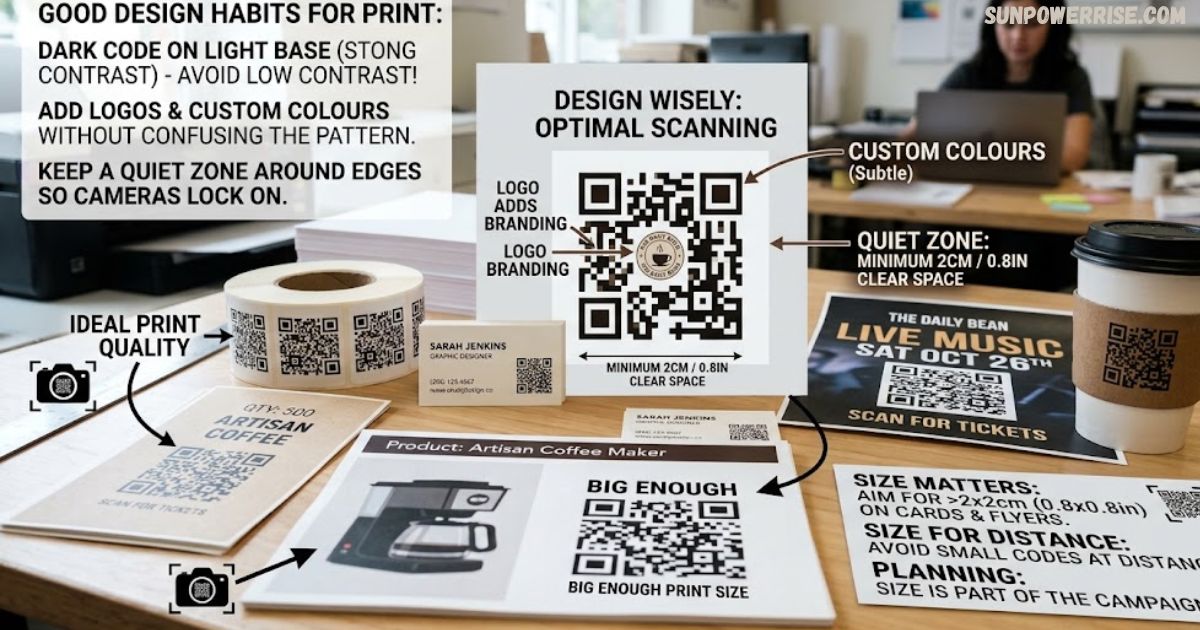
Getting QR codes in print to scan reliably comes down to good design habits. Good design starts with design wisely thinking: add logos, custom colours, or branding without over-styling or customising the pattern into something that confuses scanning apps, and always keep strong contrast a dark code on a light base beats low contrast every time with a quiet zone of clear space around the edges so cameras don’t struggle to lock on.
Sizing & Placement
On sizing, pick right size matters more than people think: keep codes big enough, aim for at least 2 x 2 cm or 0.8 x 0.8 in on business cards and flyers, avoid small QR codes placed at a distance, and treat print size as part of your campaign planning rather than an afterthought, whether you’re running small-scale printing or sizable print projects with a large volume heading for distribution.
Content & Image Quality
Content has to stay right too: check content before every printer run, use a dynamic code instead of a fixed target URL so you never end up with outdated information or a broken link, and choose high-quality images over pixelated or blurry files, saving JPG for small jobs and vector files like EPS and PNG for professional work on packaging, brochures, and other marketing material.
Call to Action & Testing
Finally, give people a reason to scan try Scan Me, “scan to view menu”, “scan to claim offer”, or a motivated incentive like “Scan Now for Bonus MP3” because a call to action boosts scan reliability, and never skip the test QR code step: use several scanning apps on multiple devices across operating systems like iOS, Android, and Windows, request a proof or print proofs from your printer, keep the screen version readable and sharp without frames or heavy decoration hiding it, and only approve the final artwork on posters once it’s fully prominent and confirmed working.
Where to Use QR Codes in Print
Flyers, Leaflets & Posters
QR codes in print work best when a code hands the reader a clear next step: on flyers, leaflets, and brochures, that might be a campaign landing page or a discount code, while on posters, limited space stays a clean design if you swap crowded text for one small square.
Business Cards & Packaging
On business cards, the same square can open a portfolio, a LinkedIn profile, a website, or straight contact details without cluttering the layout, and on packaging, it can point to product instructions, care guides, loyalty programmes, or customer reviews instead of an upsell pitch printed in tiny type.
Hospitality & Event Materials
Restaurants and cafés lean on hospitality print for digital menus and printed menus alike, plus ordering systems and allergy information, while event venues use event materials like tickets, programmes, and exhibition graphics to cover event registration, sign-ups, schedules, maps, directions, speaker information, and even terms and conditions for future events every printed item turned into a product page or upsell pages, one booking form at a time.
The Benefits of QR Codes
The real strength of QR codes in print is how they connect print and digital in a way few tools manage, turning a compact code into an online action without anyone typing a long web address.
They’re genuinely convenient, since an instant scan on most smartphones lowers the barrier to action far below what typing long URLs, app instructions, or contact information ever could, and because dynamic QR codes collect scan data, marketing teams can see customer behaviour and campaign performance tracked properly.
On top of that, one small square is genuinely versatile, handling payments, customer service, product information, and event management, and it helps you save space by replacing paragraphs of detail with a single call to action.
Consider the Scanning Time
Scanning takes around 15 seconds once you count opening a scanning app on your smartphone and managing to hold device steady long enough to lock on, which rules out most vehicles unless they’re parked. Electronic billboards and TV commercials simply don’t give people that long, so stagnant media outlets like posters, magazines, and displays remain the safer choice for anything meant to be scanned.
What’s Next for QR Codes?
The future of QR codes in print will keep evolving, and I’d expect QR code generators to grow more sophisticated, producing eye-catching, unique QR codes instead of the plain grid we’re used to.
Businesses increasingly want editable codes and dynamic codes with sharper analytics and better campaign control, along with branded designs and custom QR designs that match brand identity while staying easy to scan, and 2D codes in general are becoming bigger players across retail and packaging, since a standard barcode simply can’t hold as much product information.
Down the line, expect physical materials to link more often to AR experiences, digital wallets, personalised offers, and product authentication tools, with digital actions and richer digital experiences built for speed and convenience every step of the way, and the whole category will only evolve further from here.
FAQs
Where can i get a QR code to print?
Use a QR code generator to create your code, then download it as a high-resolution PNG, SVG, or EPS file before sending it to print.
Can a regular printer print QR codes?
Yes, any standard printer can print a QR code as long as the artwork is sharp and not pixelated or blurry.
Can I screenshot and print a QR code?
You can, but a screenshot often lowers image quality, so it’s better to download the original file type for a readable, scan-friendly result.
Why won’t a QR code print?
This usually happens due to low contrast, a blurry or pixelated image, wrong file type, or missing clear space around the edges.
Can you create a printable QR code?
Absolutely most QR code generators let you download a printable file in PNG, SVG, or EPS, ready for professional printing.